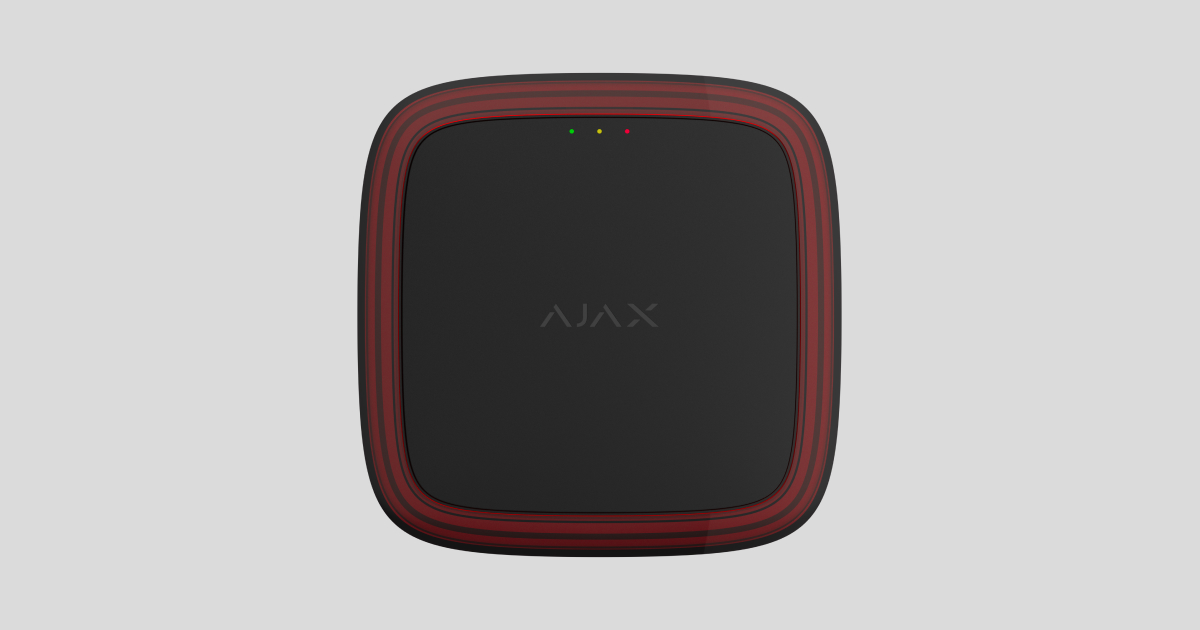
Type4 FireProtect (VAD) Jeweller is a wireless addressable visual fire alarm device (VAD). The device complies with Type 4 requirements and ensures alarm recognition in various environments, including noisy areas. Visual indication makes the alarm perceptible to people with hearing impairments.
Type4 FireProtect (VAD) Jeweller operates as part of an Ajax system and communicates with a fire alarm central unit via secure Jeweller radio protocol. The communication range with the fire alarm central unit is up to 1,700 m in an open space.
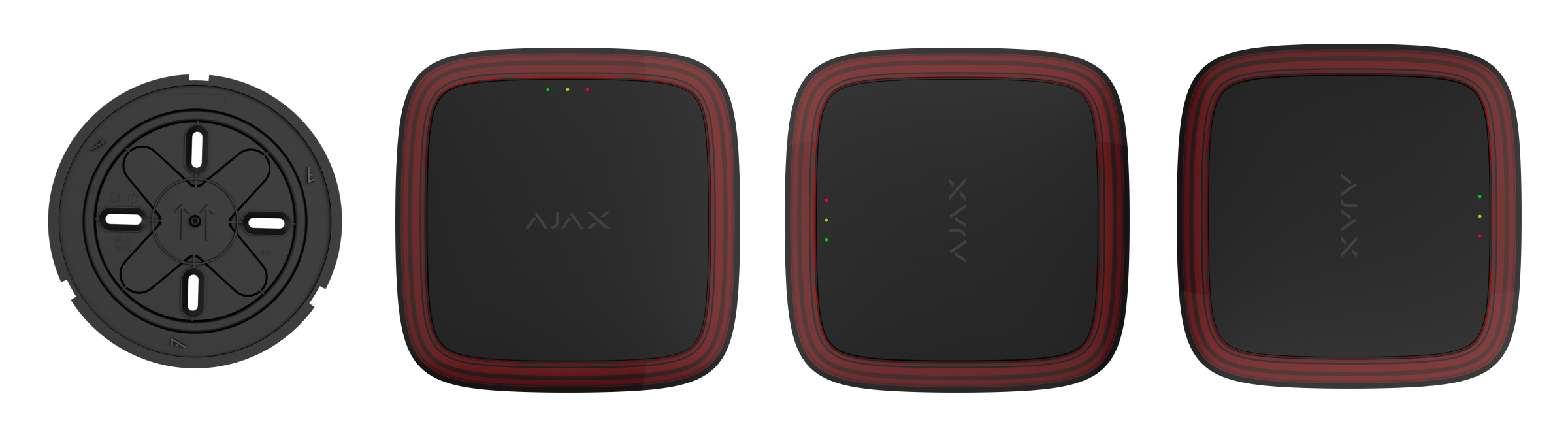
Functional elements
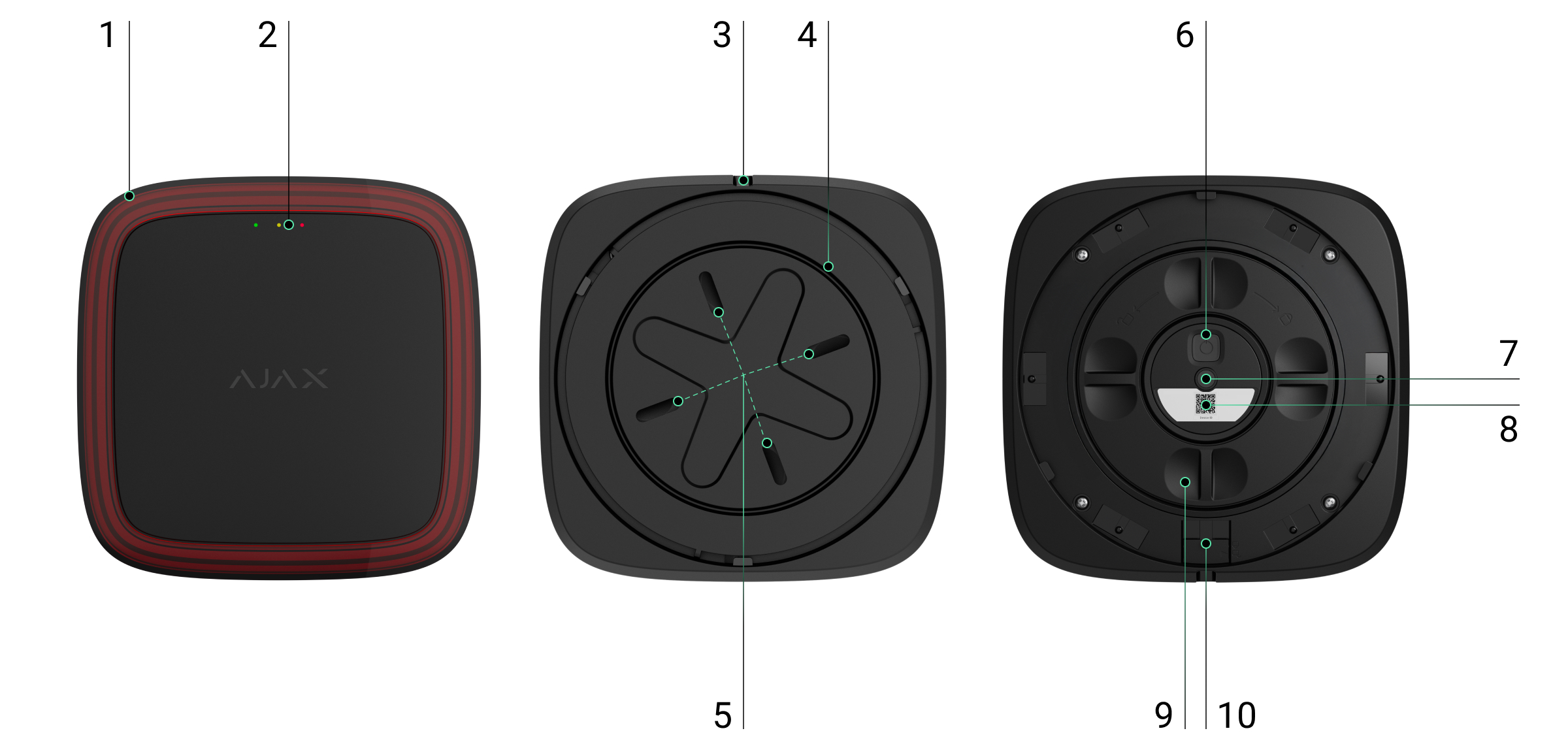
- LED frame.
- LED indicators: green, yellow, and red.
- Hole for a special tool needed to unlock the lock.
- SmartBracket mounting panel. To remove the panel, insert the special tool into the corresponding hole and turn SmartBracket counterclockwise. If the device is unlocked, simply turn SmartBracket counterclockwise.
- Fixing points to attach SmartBracket to the surface.
- Power button.
- Tamper button. It triggers in case of an attempt to remove the device from the mounting panel.
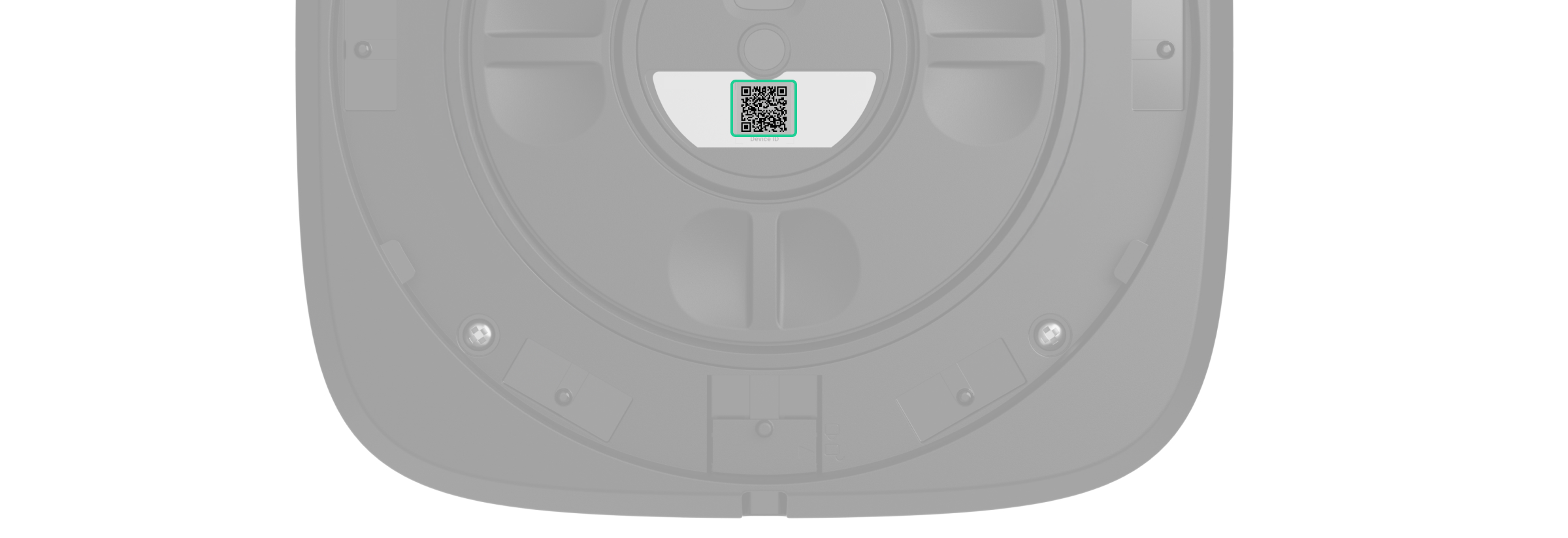
- QR code with the device ID. It is used to add the device to the fire alarm central unit.
- Battery compartment cover. To replace the batteries, turn this cover counterclockwise.
- Lock to secure the device on SmartBracket (optionally).
Compatible fire alarm central units and range extenders
Type4 FireProtect (VAD) Jeweller requires the Ajax fire alarm central unit with an up-to-date OS Malevich version.
Operating principle
Type4 FireProtect (VAD) Jeweller is a wireless fire alarm device that activates a visual alert when a fire is detected. The device’s LED frame, functioning as a VAD, flashes in a temporal pattern (0.5 Hz).
The device is powered by pre-installed batteries and does not require an external power supply. Type4 FireProtect (VAD) Jeweller monitors its operational state and informs the system of faults if any occur.
Jeweller data transfer protocols
Jeweller is a wireless data transfer protocol that provides fast and reliable two-way communication between the fire alarm central unit and devices. The device uses Jeweller to transmit commands, alarms, and events.
Sending events to the monitoring station
An Ajax system can transmit alarms to both the Ajax PRO Desktop app and the monitoring station in the formats of SurGard (Contact ID), SIA (DC-09), ADEMCO 685, and other protocols.
The system with Type4 FireProtect (VAD) Jeweller installed can transmit the following events:
- VAD hardware fault/recovery.
- Low battery alarm/recovery.
- Tamper alarm/recovery.
- Loss/recovery of communication between Type4 FireProtect (VAD) Jeweller and the fire alarm central unit.

When the device is added to Type4 Fire Hub Jeweller, the system allows disabling fault indication and notifications of Jeweller connection loss for Type4 devices used in mobile environments, such as fire engines.
When an alarm is received, the operator at the monitoring station knows precisely what happened and where. The addressability of Ajax devices allows sending events to Ajax PRO Desktop or the monitoring software, including the device type, its name, fire zone, virtual room, and location description. Please note that the list of transmitted parameters may vary depending on the monitoring software and the selected communication protocol for the monitoring station.
You can find the device ID and zone number in the device states.
Selecting the installation site
The device is intended for outdoor and indoor installation. The recommended installation height of the device is up to 3 m on the ceiling and up to 2.4 m on the wall. When selecting a proper location, consider the visibility of its LED frame, as it determines the device’s performance.
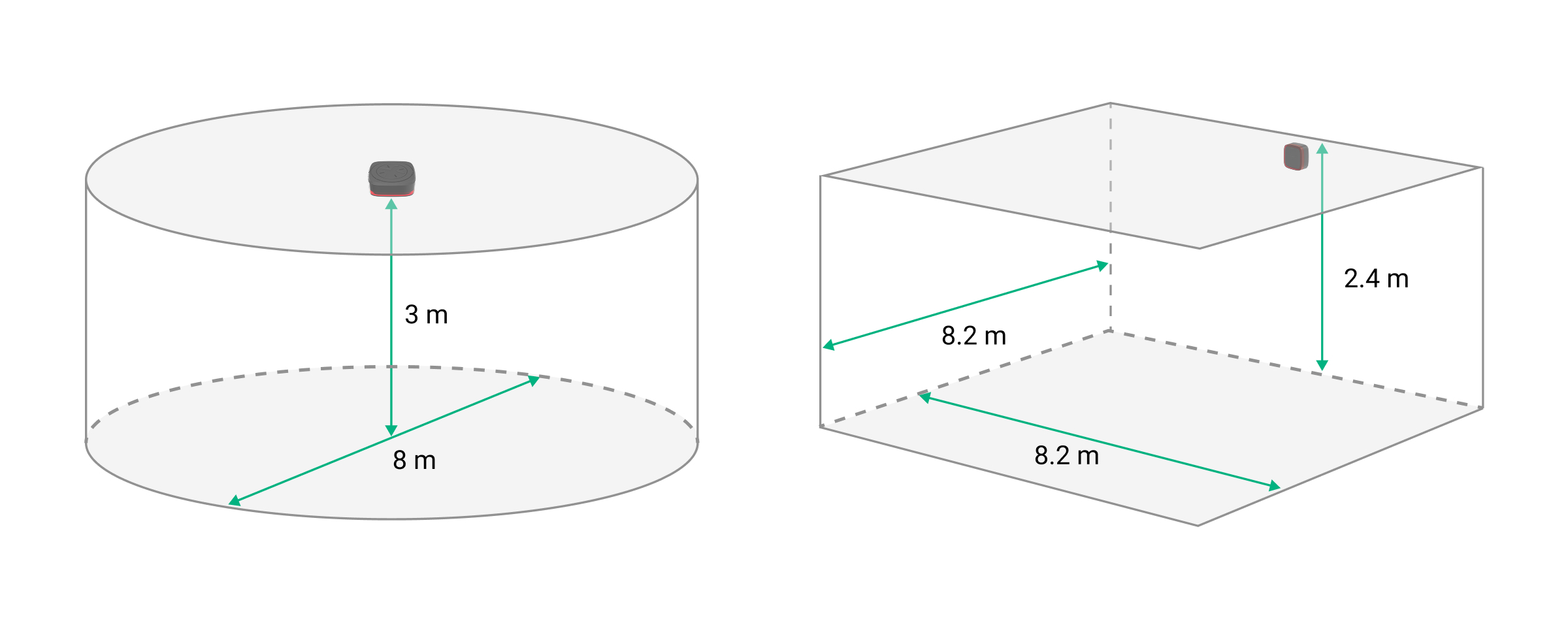
When selecting where to place Type4 FireProtect (VAD) Jeweller, consider the parameters that affect its operation:
- Jeweller signal strength;
- the distance between the device and the fire alarm central unit;
- presence of obstacles to radio signal transmission, such as walls, interfloor ceilings, and large objects in the room.
Consider the placement recommendations when developing a system project. Only specialists must design and install Ajax systems. A list of recommended partners is available here.
Signal strength
The signal strength is determined by the number of undelivered or corrupted data packets over a certain period of time. The icon  in the Devices
  tab in Ajax apps indicates the signal strength:
- three bars — excellent signal strength;
- two bars — good signal strength;
- one bar — low signal strength, stable operation is not guaranteed;
- crossed-out icon — no signal.
Note that if the signal strength is excellent, the device can automatically adjust the radio transmission power to reduce power consumption and radio interference.

Run the Jeweller signal strength test before final installation. The test checks the signal strength at the device’s maximum transmission power. To comply with Type 4 requirements, the signal strength between the device and the fire alarm central unit must be at least two bars.
If the test shows the signal strength of one or zero bars, we do not guarantee the device will operate stably. Consider relocating it, as adjusting its position even by 20 cm or rotating it relative to the fire alarm central unit can significantly improve the signal strength. If the signal remains poor or unstable after relocation, consider using a radio signal range extender.
Refer to the Device functionality testing section to learn how to run the Jeweller signal strength test.
Where not to install the device
- Near any metal objects or mirrors that cause signal attenuation and screening of the signal.
- In places where temperature and humidity levels are outside the permissible limits. This may damage the device.
- In places with low or unstable Jeweller signal strength. This may result in losing connection to the fire alarm central unit.
- Closer than 1 m to the fire alarm central unit or radio signal range extender.
Installation
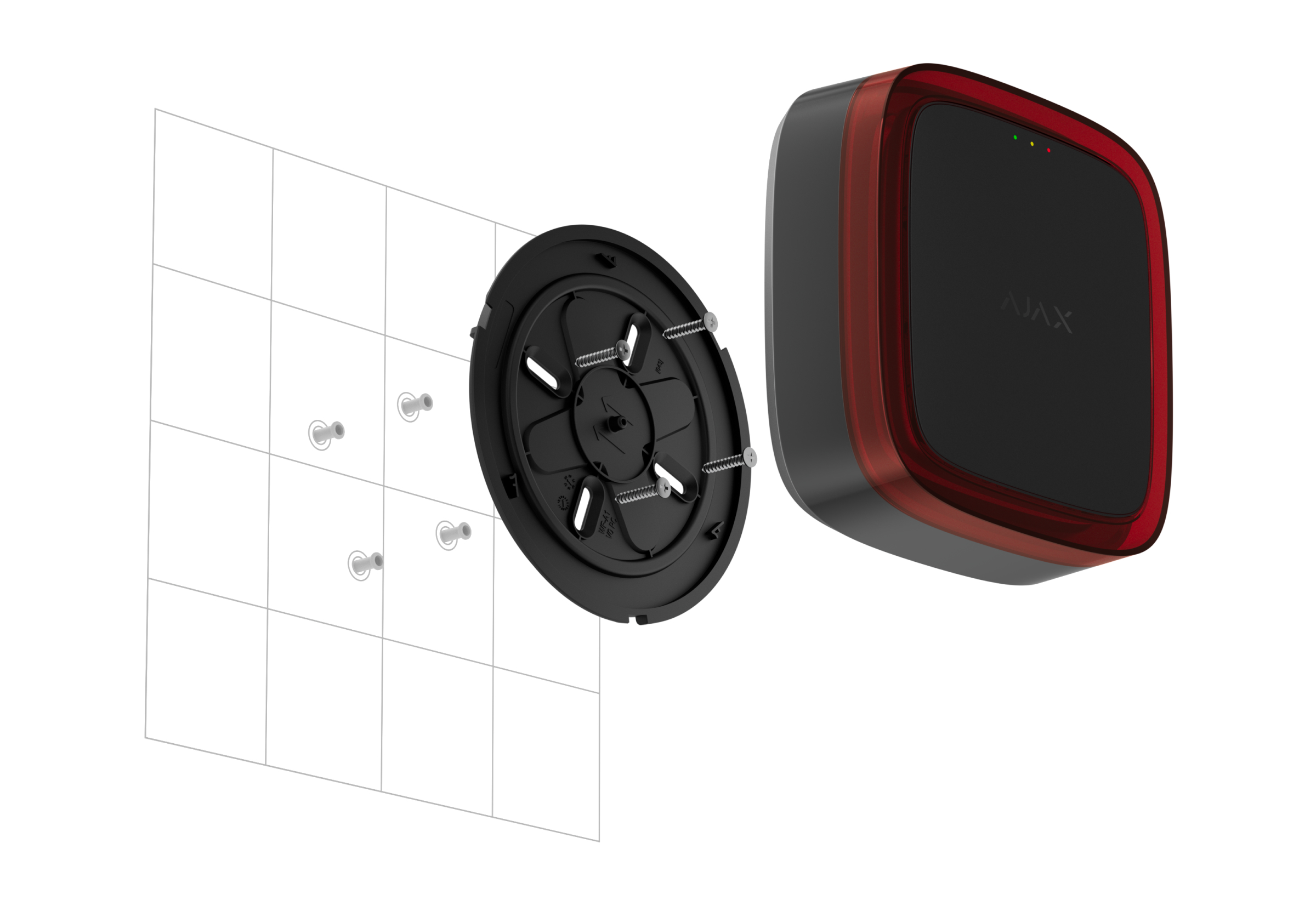
Before installing Type4 FireProtect (VAD) Jeweller, ensure that you have selected the optimal location that complies with the requirements of this manual.
Only a professional must install this device.
To install the device:
- Remove the SmartBracket mounting panel from the device. To remove the panel, turn it counterclockwise.
Use the device only with FP.T4V.J-000-EU, FP.T4A.J-000-EU, or FP.T4AV.J-000-EU SmartBracket mounting panels.
- Secure the SmartBracket panel to a surface using double-sided adhesive tape or other temporary fasteners. The ↑↑ sign on SmartBracket is for informational purposes only. It can help you align the device properly.
Use double-sided adhesive tape for temporary fixation only. The device secured by the adhesive tape can detach from the surface at any time, which may result in damage if it falls.
- Add Type4 FireProtect (VAD) Jeweller to the fire alarm central unit.
- Place the device on the SmartBracket mounting panel.
- Run the device functionality testing.
- Remove the device from the mounting panel.
- Attach the SmartBracket panel to the surface using the bundled screws for all fixing points. When using other fasteners, make sure they do not damage or deform the mounting panel.
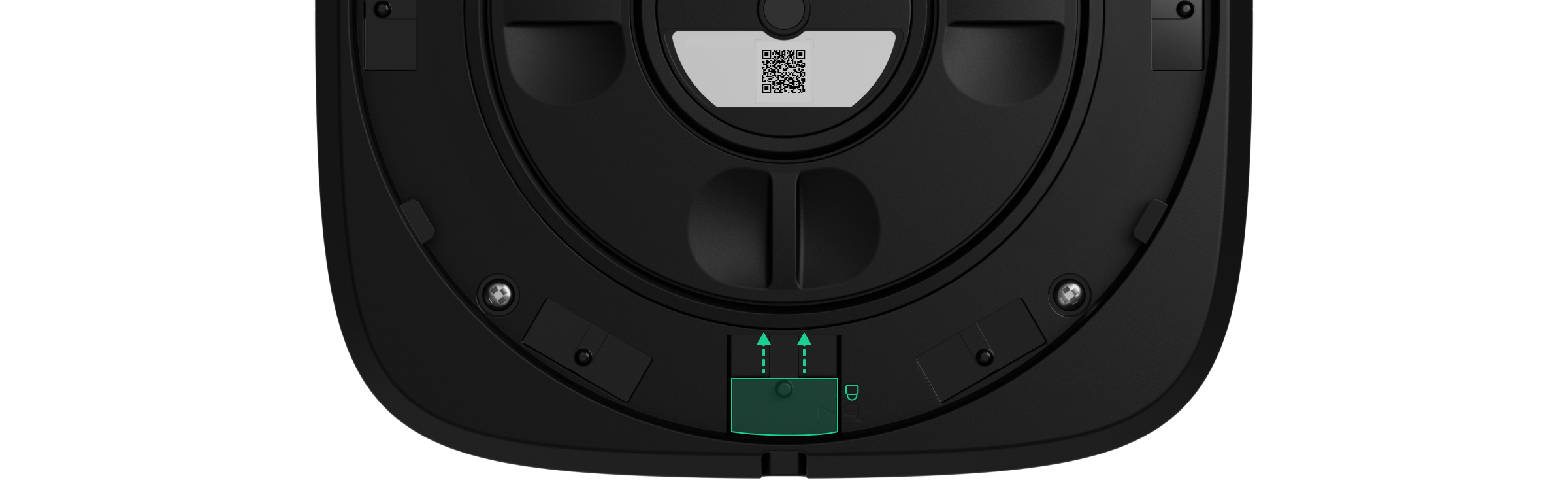
- To additionally secure the device on SmartBracket with the lock, move the locking mechanism to
 position. In this case, you will need to insert a special tool into the corresponding hole to remove the mounting panel.
- Place the device on the SmartBracket mounting panel.
- Adjust the position of the device if necessary. The SmartBracket mounting panel allows the detector to be rotated up to 90°.
Adding to the system
Before adding the device
- Install an Ajax app.
- Log in to your account or create a new one.
- Select a space or create a new one.
- Add at least one virtual room.
- Add a compatible fire alarm central unit to the space. Ensure the fire alarm central unit is switched on and has internet access via Ethernet, Wi-Fi, and/or mobile network.
- Check the states in the Ajax app to ensure the space is disarmed and the fire alarm central unit is not starting an update.
Only a PRO or a space admin with the rights to configure the system can add the device to the fire alarm central unit.
Adding the device to the fire alarm central unit
- Open an Ajax app. Select a space to which you want to add the device.
- Go to the Devices tab and select Add device.
- Scan the QR code or enter the device ID manually. A QR code with the ID is placed on the device under the SmartBracket mounting panel. Also, it is duplicated on the device packaging.
- Assign a name to the device.
- Select a fire zone and a virtual room.
- If necessary, specify the device location in the Location field.
- Select Add device, and the countdown will begin.
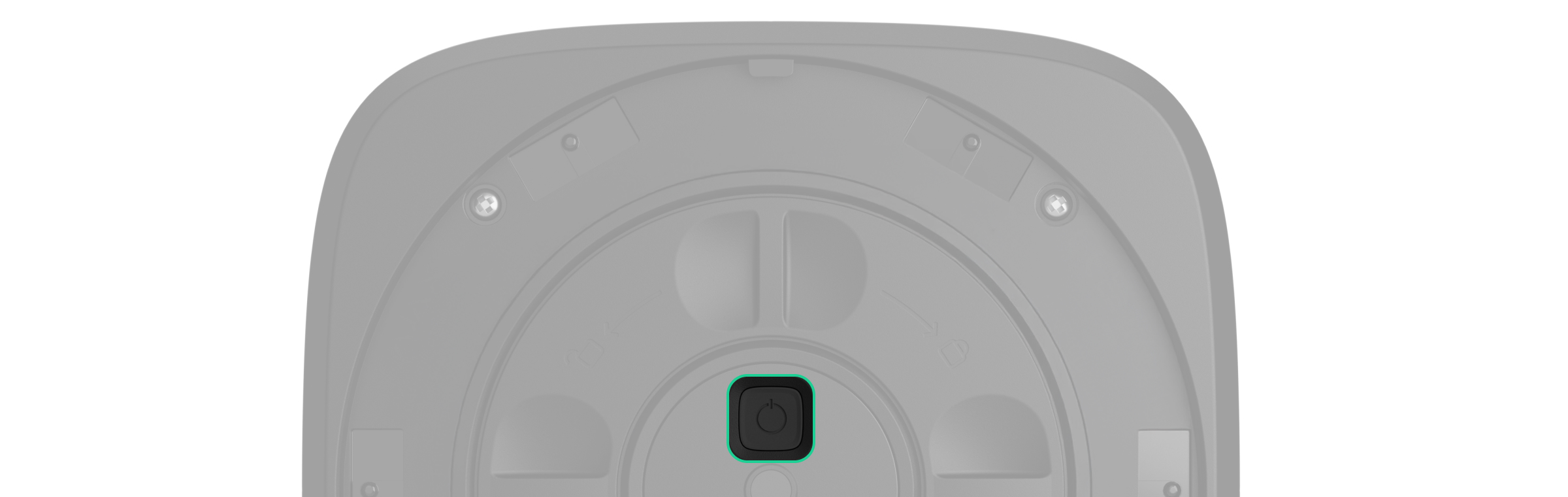
- Switch on the device by holding the power button for 3 seconds.
Once added to the fire alarm central unit, the device will appear in the list of fire alarm central unit devices in the Ajax app. The update frequency for device states in the list depends on the Jeweller settings and is 36 seconds by default.
If the connection fails, try again in 5 seconds. If the maximum number of devices has already been added to the fire alarm central unit, you will receive an error notification when you try to add more.
Type4 FireProtect (VAD) Jeweller works with only one fire alarm central unit. When added to a new fire alarm central unit, it stops sending events to the old one. After the device is added to a new fire alarm central unit, it will not be automatically removed from the device list of the old fire alarm central unit. This must be done through the Ajax app.
Device functionality testing
An Ajax system provides several types of tests to help select the correct installation place for the devices. For Type4 FireProtect (VAD) Jeweller, the following tests are available:
- Jeweller signal strength test — to determine the signal strength and stability between the fire alarm central unit (or the radio signal range extender) and the device via the wireless Jeweller data transfer protocol at the device installation site.
- Alarm annunciation test — to check the visual alert to ensure the fire alarm signal is visible within the premises.
To run the test:
- Open an Ajax app. Select a space with the added device.
- Go to the Devices tab.
- Select Type4 FireProtect (VAD) Jeweller.
- Go to the settings by tapping on the gear icon
 .
. - Select Jeweller signal strength test or Alarm annunciation test.
Also, you can run the Alarm annunciation test on the fire alarm central unit touch screen.
Icons
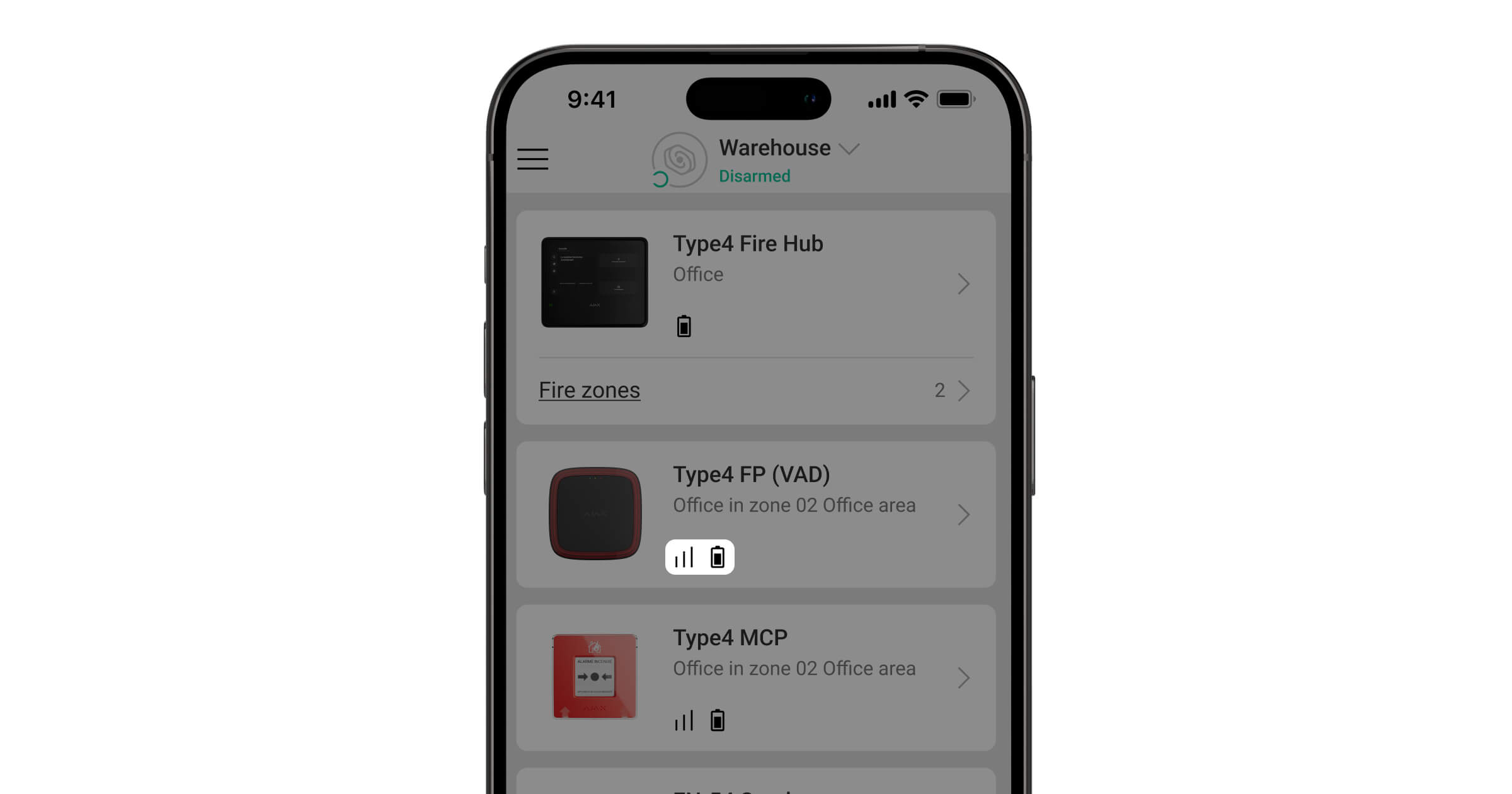
Icons in an Ajax app display some of the Type4 FireProtect (VAD) Jeweller states. You can check the icons in the Devices tab.
| Icon | Meaning |
|
Jeweller signal strength. It displays the signal strength between the fire alarm central unit or the range extender and the device. The recommended value is 3 bars. |
 |
Battery charge level of the device. |
 |
The device operates via the radio signal range extender. |
 |
The device is flashing. |
 |
The device test is in progress. |
 |
Type4 FireProtect (VAD) Jeweller has a fault. The list of faults is available in the device states. |
 |
Type4 FireProtect (VAD) Jeweller is disabled. |
 |
The device has lost connection to the fire alarm central unit, or the fire alarm central unit has lost connection to the Ajax Cloud server. |
 |
The device has not been transferred to the new fire alarm central unit. |
States
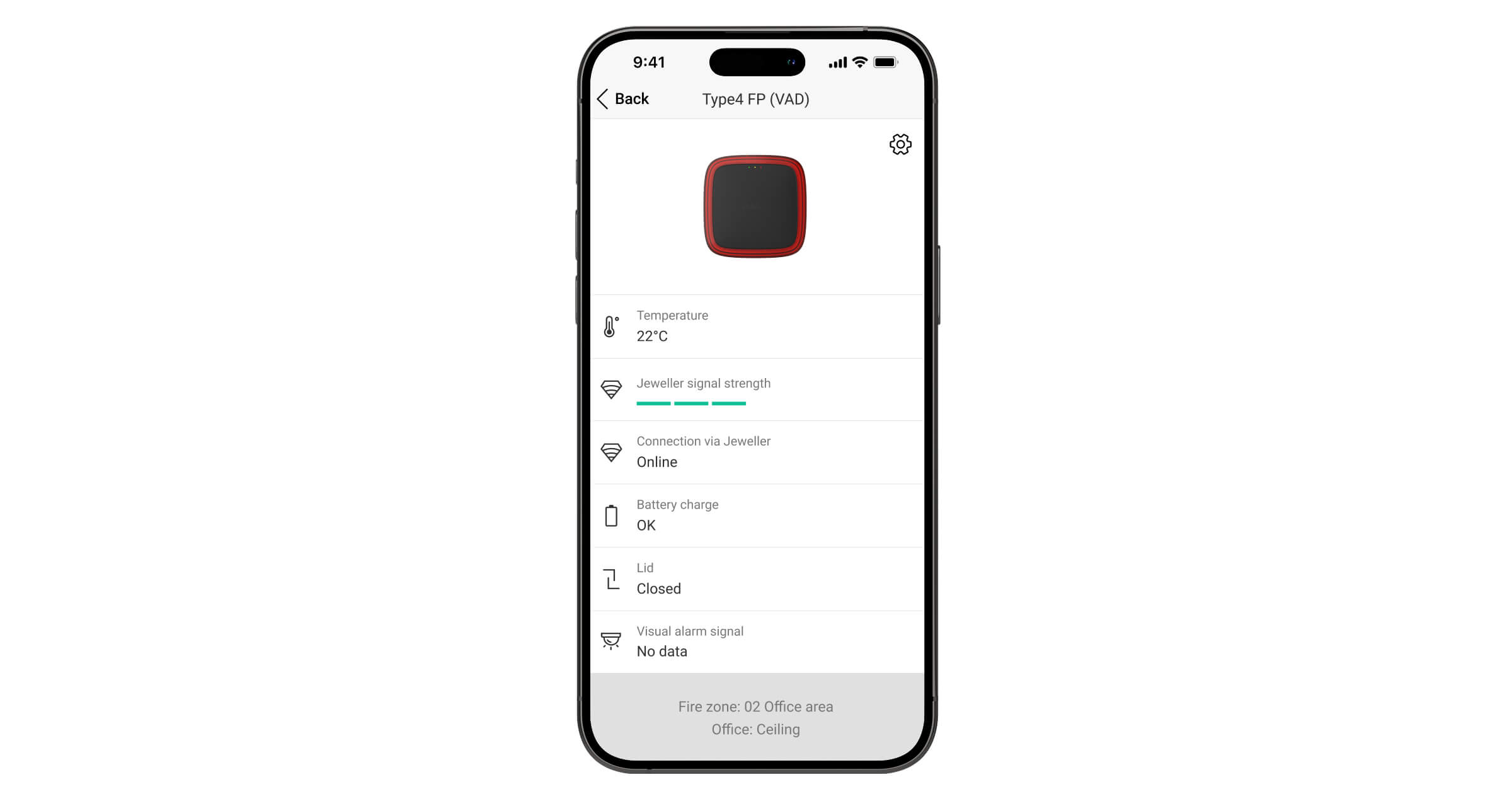
The states include information about the device and its operating parameters. You can find the states of Type4 FireProtect (VAD) Jeweller in Ajax apps:
- Go to the Devices tab.
- Select Type4 FireProtect (VAD) Jeweller from the list.
| Parameter | Meaning |
| Data import | Displays the error when the data is being transferred to the new fire alarm central unit:
|
| Fault |
The device has a fault. Tapping on The field is displayed only if a fault is detected. |
| Disabled |
The device is disabled. It does not respond to the alarm and does not notify users and the monitoring station. Tapping on The field is displayed only if the device is disabled. |
| Temperature | The device temperature. It is measured by Type4 FireProtect (VAD) Jeweller and changes depending on the ambient temperature. |
| Jeweller signal strength |
Jeweller signal strength between the device and the fire alarm central unit (or the radio signal range extender). The recommended value is 3 bars. Jeweller is a protocol for transmitting commands, events, and alarms. |
| Connection via Jeweller | The connection state via the Jeweller channel between the device and the fire alarm central unit (or the range extender):
|
| [Range extender name] | The connection state between the device and the radio signal range extender:
The field is displayed if the device operates via the radio signal range extender. |
| Battery charge | The device’s battery charge level. Three states are available:
When the batteries need to be replaced, users and the monitoring company will receive appropriate notifications. |
| Lid | The state of the device’s tamper button that responds to the detachment or opening of the device enclosure:
|
| Visual alarm signal | The state of the device’s visual alert:
|
| Fire zone | Number and name of the fire zone to which the device is assigned. |
| Room | Name of the room to which the device is assigned. |
| Location | Detailed description of the device location. |
| Firmware | Device firmware version. |
| Device ID | The Type4 FireProtect (VAD) Jeweller ID. It is also available on the device behind SmartBracket and on its packaging. |
| Device No. | Number of the device loop (zone). |
 opens the list of Type4 FireProtect (VAD) Jeweller faults.
Settings
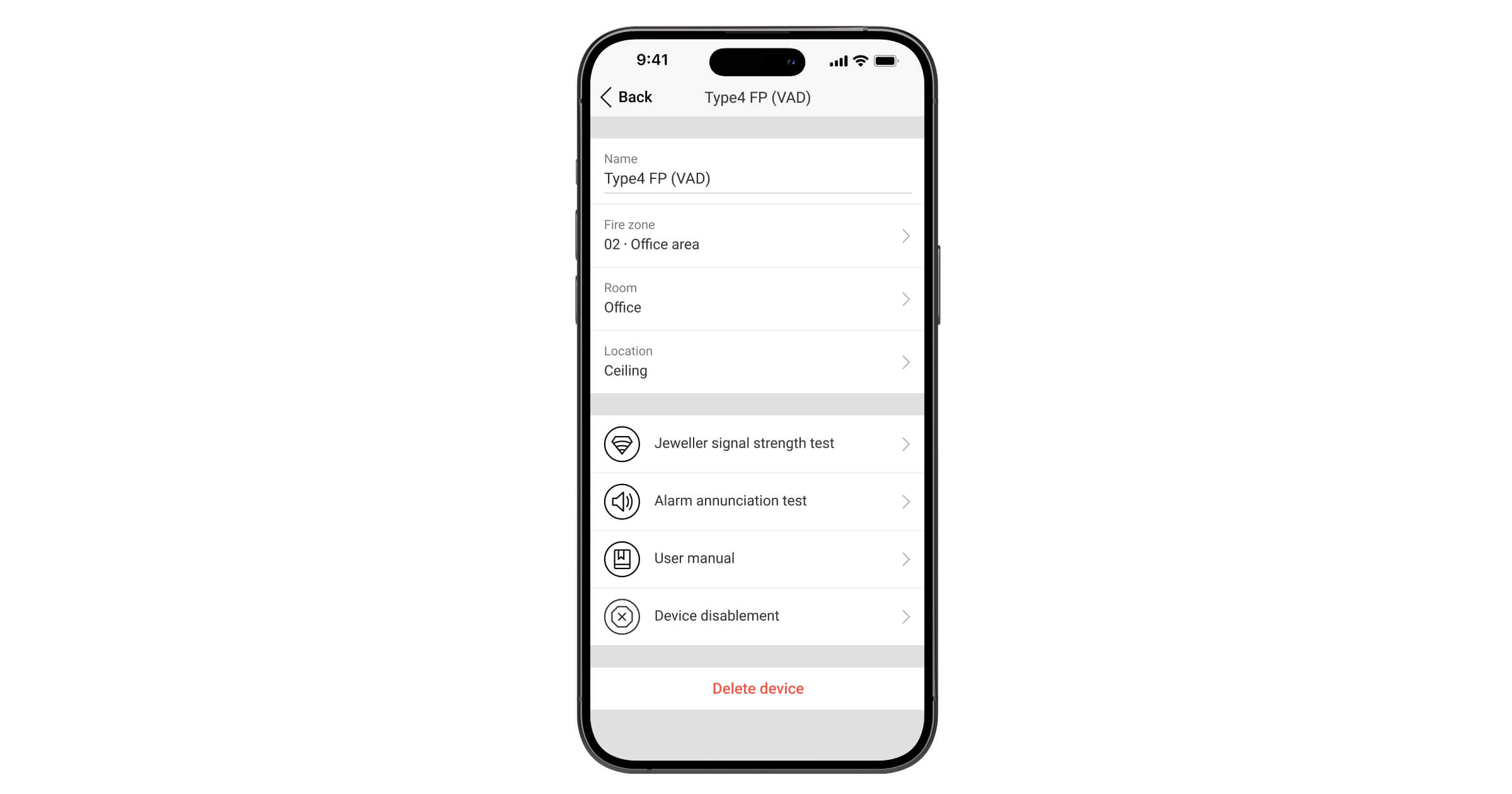
To change Type4 FireProtect (VAD) Jeweller settings, in an Ajax app:
- Go to the Devices tab.
- Select Type4 FireProtect (VAD) Jeweller from the list.
- Go to Settings .
- Configure the required settings.
- Select Back to save the new settings.
| Settings | Meaning |
| Name |
Name of the device. It is displayed in the list of fire alarm central unit devices, SMS text, and notifications in the event feed. To change the device name, tap on the text field. The name can contain up to 24 Latin characters or up to 12 Cyrillic characters. |
| Fire zone |
Selecting the fire zone to which Type4 FireProtect (VAD) Jeweller is assigned. The fire zone is displayed in the text of SMS and notifications in the event feed. |
| Room |
Selecting the virtual room to which Type4 FireProtect (VAD) Jeweller is assigned. The room name is displayed in the text of SMS and notifications in the event feed. |
| Location |
Detailed description of the device location. It is displayed next to the room name in the event feed notifications. The location field can contain up to 24 Latin or Cyrillic characters. |
| Jeweller signal strength test |
Switching the device to the Jeweller signal strength test mode. The test allows you to check the signal strength between the fire alarm central unit (or the radio signal range extender) and the device via the wireless Jeweller data transfer protocol to select the optimal installation site. |
| Alarm annunciation test |
Switching the device to the Alarm annunciation test mode. The test allows you to check the visual alert to ensure the fire alarm signal is clearly visible within the premises. The test lasts for up to 10 minutes and can be stopped manually at any time. |
| User manual | Opening the Type4 FireProtect (VAD) Jeweller user manual in an Ajax app. |
| Device disablement |
The option allows for deactivating the device. The device remains in the system but no longer detects signs of fire or raises an alarm. |
| Delete device | Unpairing the device, disconnecting it from the fire alarm central unit, and deleting its settings. |
Indication
The Type4 FireProtect (VAD) Jeweller LED indicator can light up depending on the device state.
| Event | LED frame (VAD) indication | System LED indication | Note |
| Alarm. | The LED flashes in a defined temporal pattern (0.5 Hz). | No. | The device stops alerting once the alarm source is no longer detected. |
| Turning on the device. | No. | The green, yellow, and red LEDs light up in turn and then go off. | Press the power button until the green LED lights up. |
| Turning off the device. | No. | The green, yellow, and red LEDs light up simultaneously and then go off in reverse order. | Press the power button until the red LED goes off. |
| The battery is completely discharged. | No. | The yellow LED constantly flashes. | The battery needs to be replaced. |
| Turning off the device when the battery is completely discharged. | No. | The green, yellow, and red LEDs light up simultaneously and then go off in reverse order. | The battery needs to be replaced. |
|
Tamper alarm. The device has been removed from the SmartBracket mounting panel. |
No. | The yellow LED lights up for 1 second. | |
| The device is installed on the SmartBracket mounting panel. | No. | The green LED lights up for 1 second. | |
| Performing the Jeweller signal strength test. | No. | The indication depends on the signal strength:
|
Faults
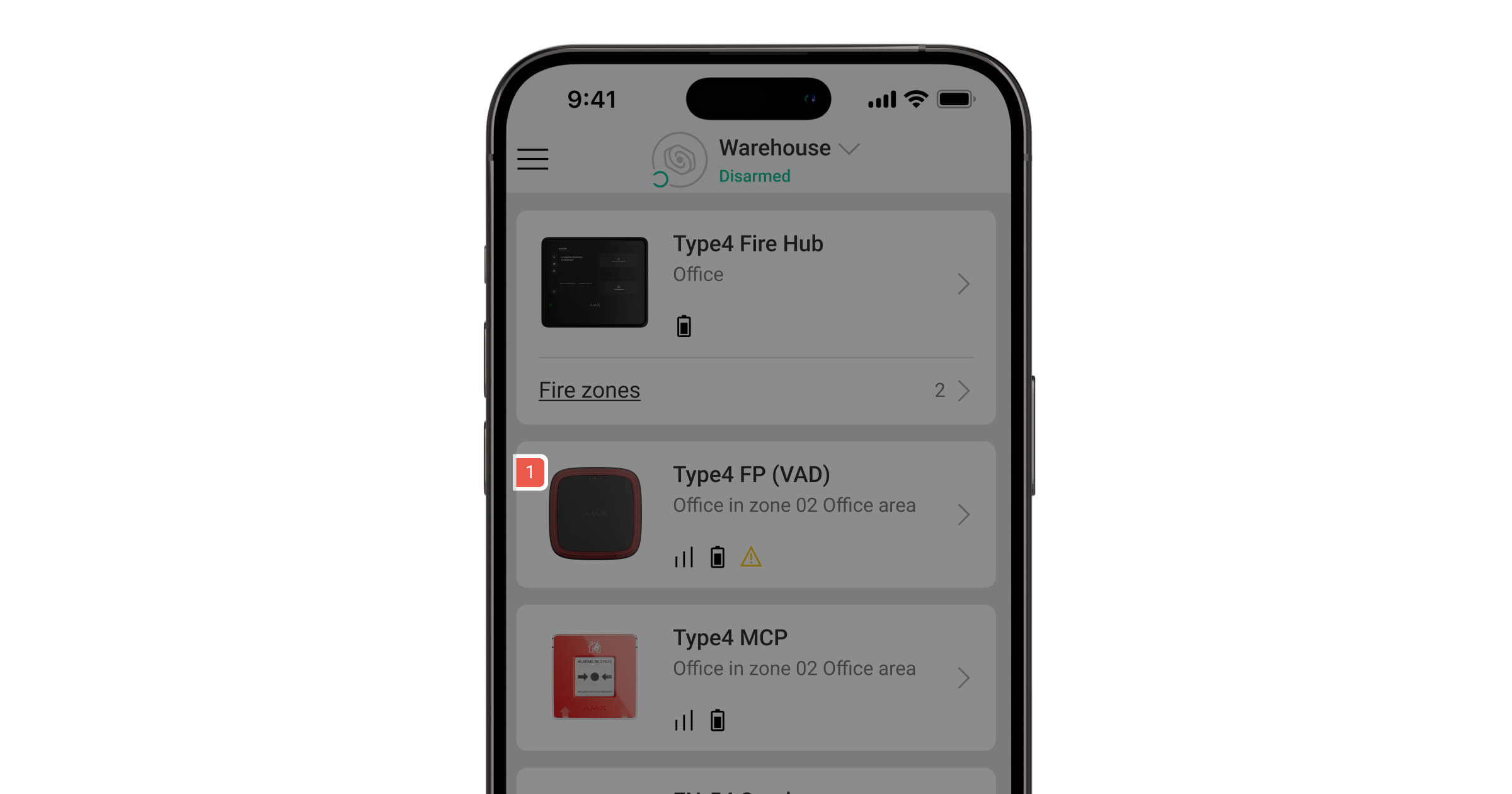
When a Type4 FireProtect (VAD) Jeweller fault is detected, an Ajax app displays a fault counter on the device icon. All faults are indicated in the device states. Fields with faults are highlighted in yellow. Also, if the device is added to the central unit with a touch screen, faults are displayed in the Control tab of the central unit display. More details about the fault can be found in the Event center or Fire zones tabs on the display of the fire alarm central unit.
The Type4 FireProtect (VAD) Jeweller fault is displayed if:
- The device is removed from the SmartBracket mounting panel, or its integrity is compromised (a tamper button has been triggered).
- There is no connection with the fire alarm central unit or radio signal range extender via Jeweller.
- The device battery is low.
- The device is faulty.
When the device is added to Type4 Fire Hub Jeweller, an admin or a user with access level 2 can disable the notifications of Jeweller connection loss from the central unit touch screen. The Deactivate notifications feature allows disabling fault indication and notifications of Jeweller connection loss for Type4 devices used in mobile environments, such as fire engines.
Maintenance
Regularly check the device operation. Clean the device enclosure from dust, cobwebs, and other contaminants as they emerge. Use soft, dry wipes suitable for equipment maintenance. Do not use substances that contain alcohol, acetone, gasoline, and other active solvents to clean the device.
The pre-installed batteries provide up to 5 years of autonomous operation with the standard Jeweller settings (the polling interval is 36 seconds). If the batteries are low, the system will send an appropriate notification.
We recommend replacing the batteries immediately upon receiving the notification. It is advisable to use Huiderui CR123A LiMn02 (3 V; 1,600 mAh) batteries.
Ensure the batteries are installed with the correct polarity. The polarity is marked inside the enclosure. After replacing the batteries, run the functionality test to ensure the device operates properly.
Warranty
Warranty for the Limited Liability Company “Ajax Systems Manufacturing” products is valid for 2 years after the purchase.
If the device does not operate properly, we recommend contacting Ajax Technical Support first. In most cases, technical issues can be resolved remotely.
Contact Technical Support:
Manufactured by “AS Manufacturing” LLC