Zone test is a servicing mode that allows testing detectors within a specific zone without triggering a fire alarm or sending events to the monitoring station.
System requirements
EN54 Fire Hub Jeweller running OS Malevich 2.35 or later supports the Zone test feature.
An admin or user with access level 2 can run Zone test directly from the CIE touch screen or in Ajax apps of the following or later versions:
- Ajax Security System 3.36 (iOS/Android)
- Ajax PRO: Tool for Engineers 2.36 (iOS/Android)
- Ajax Desktop 5.36 (Windows/macOS)
- Ajax PRO Desktop 5.36 (Windows/macOS)
Operating principle
Zone test is a special mode that allows installers to check fire detector operation in selected zones. In test mode, smoke detectors respond to test aerosols, such as Solo 332. During the test, installers can define which outputs, such as sounders, visual alarm devices (VADs), or I/O module relays, will be activated in each zone.
When a fire detector is triggered, the selected outputs are activated for 4, 6, 10, or 16 seconds, depending on the preset configuration. The system does not send alarms to the monitoring station — instead, the CIE displays a test alarm on the screen.
An installer can test the detectors in a single zone or across multiple zones.
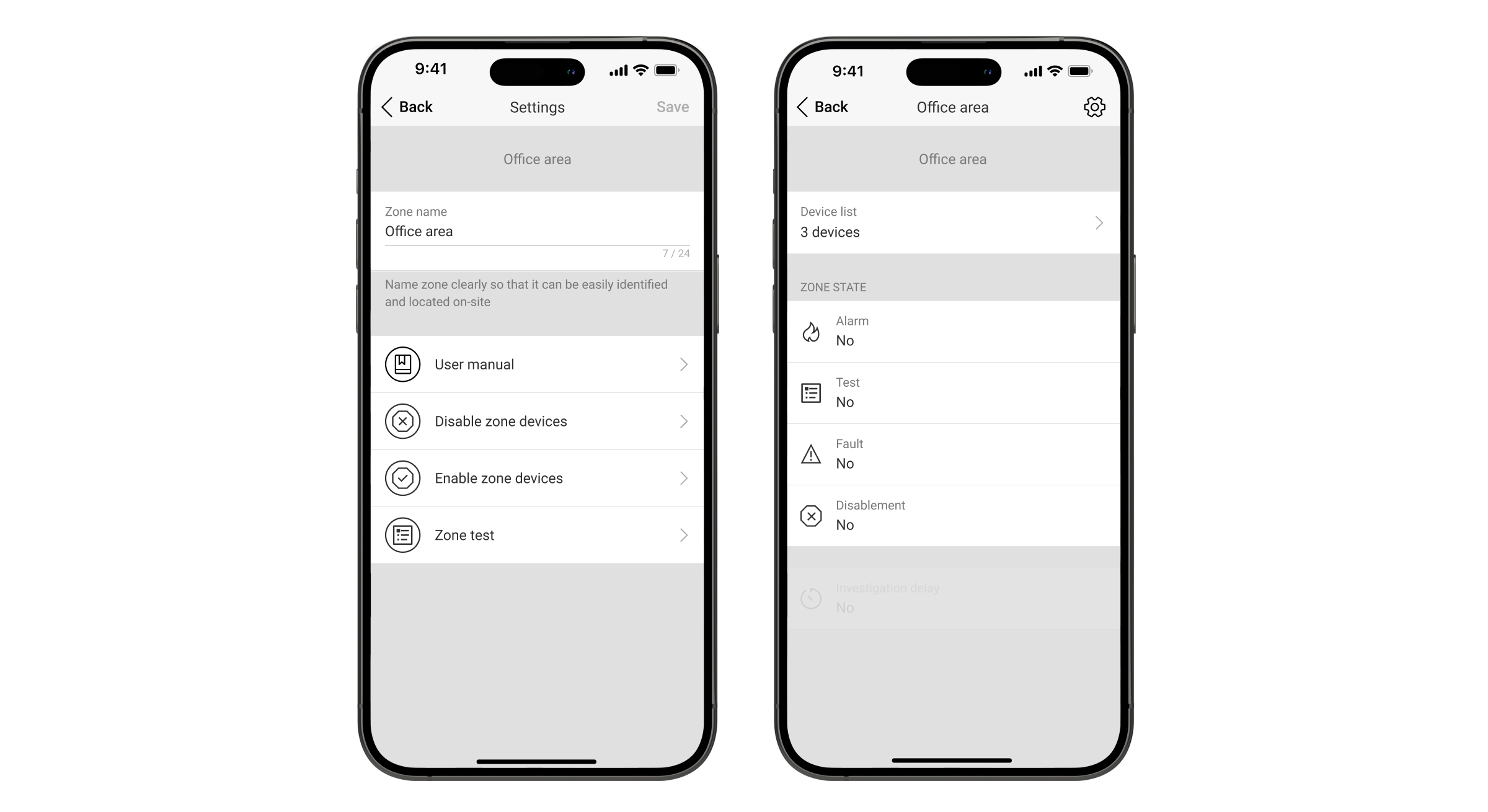
Running Zone test
An admin or user with access level 2 can run Zone test from the CIE touch screen or via Ajax apps.
- Go to the Fire zones tab on the CIE touch screen.
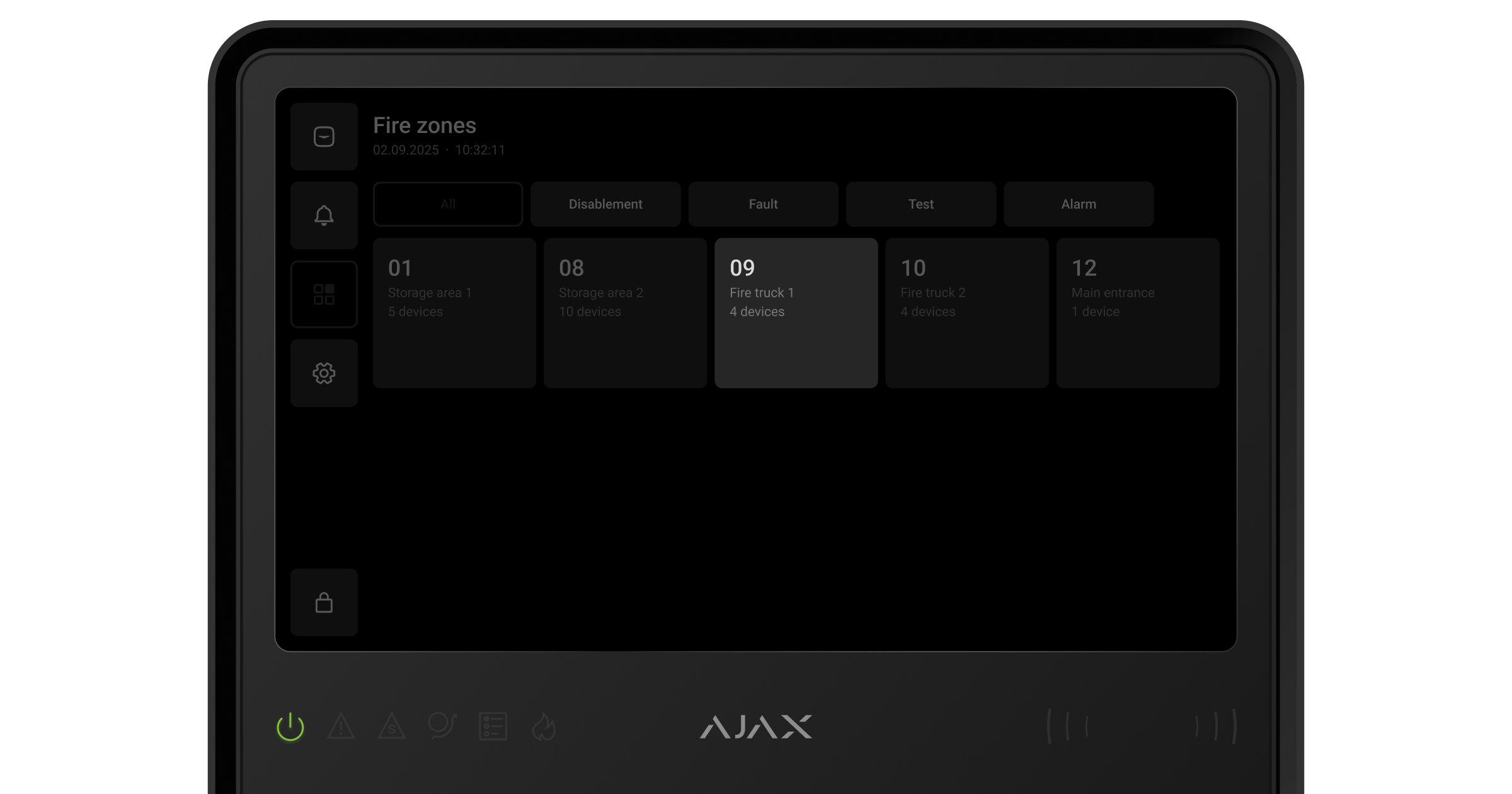
- Select the required zone.
- Tap Run zone test.
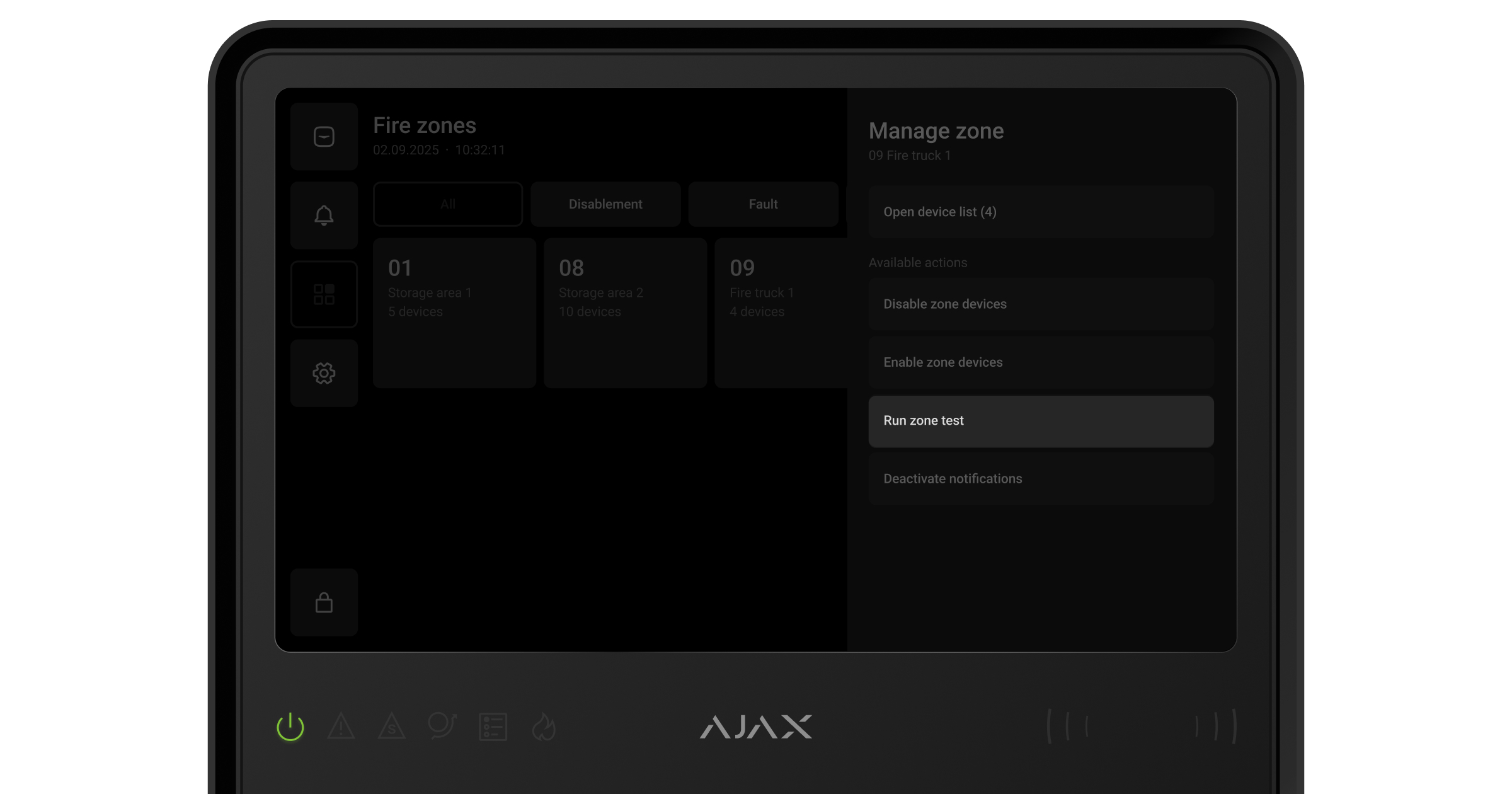
- Select whether to activate outputs (sounders, VADs, and relays) during the test:
- Don’t activate outputs
- Activate only in tested zones
- Activate in all zones.
- If the Activate only in tested zones or Activate in all zones option is selected, choose the devices to be triggered by the test alarm:
- Sounders
- VADs
- Relays.
- Tap Start test.
 tab.
tab. .
.
To add another zone to the current test, select the required zone and tap Add to current zone test.
Devices participating in Zone test will be displayed with the corresponding icon and state.
Stopping Zone test
If you need to stop Zone test:
- Go to the fire zone settings via the CIE or Ajax apps.
- Tap Stop test.
The system will notify you if any devices still detect signs of fire. In this case, a fire alarm will be triggered immediately.