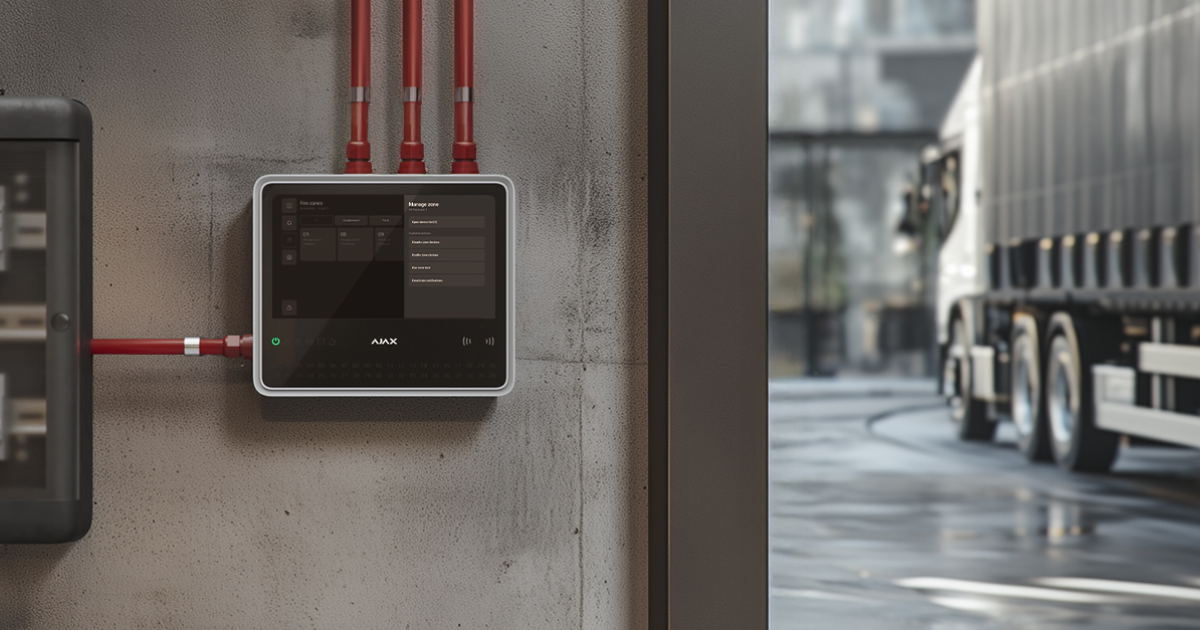
In recent years, several fire incidents have occurred at fire departments in Germany. This has led to the introduction of local requirements for installing EN 54-certified fire detectors in fire engines.
Fire trucks may temporarily leave the Jeweller radio communication coverage area when moving. To prevent unnecessary alerts in such cases, Ajax introduces an option to disable notifications of Jeweller connection loss.
System requirements
EN54 Fire Hub Jeweller running OS Malevich 2.36 or later supports the Deactivate notifications feature.
An admin or user with access level 2 can disable the notifications directly from the CIE touch screen.
The feature is available for all EN54 Line Ajax devices, except for the EN54 Fire ReX Jeweller range extender:
Operating principle
The Deactivate notifications feature allows disabling fault indication and notifications of temporary Jeweller connection loss for EN54 devices used in mobile environments, such as fire engines.
The setting can be configured for the required zone or any EN54 device in the zone, except for EN54 Fire ReX Jeweller. By default, the feature is disabled.
When it is enabled, the system continues to detect and record connection loss events but changes the way these events are handled and indicated.

Enabling the Deactivate notifications feature contradicts the requirements of EN 54-25. The system will inform users of the non-compliant setting when the feature is enabled.
Disabling device notifications
When the Deactivate notifications feature is enabled for the device and Jeweller connection loss occurs:
- The event is recorded in the event log.
- The event is displayed in the current state section.
- The System requires attention state is activated if it is not already active; the fault counter is incremented.
- The LED fault indication is disabled.
- The audible fault indication is disabled.
- The event is not transmitted to the monitoring station, regardless of the connection method.
- SMS notifications are not sent.
When the feature is disabled and the Jeweller connection is still lost:
- The CIE activates the audible fault indication.
- The CIE sends the fault event to the monitoring station.
Disabling zone notifications
When the feature is enabled at the zone level, the same logic applies to all devices in the zone, except for EN54 Fire ReX Jeweller.
Disabling zone notifications turns off notifications for all devices in this zone.
Configuring notification deactivation
An admin or user with access level 2 can disable connection loss notifications.
To disable the notifications for the required zone:
- Go to the Fire zones tab on the CIE touch screen.
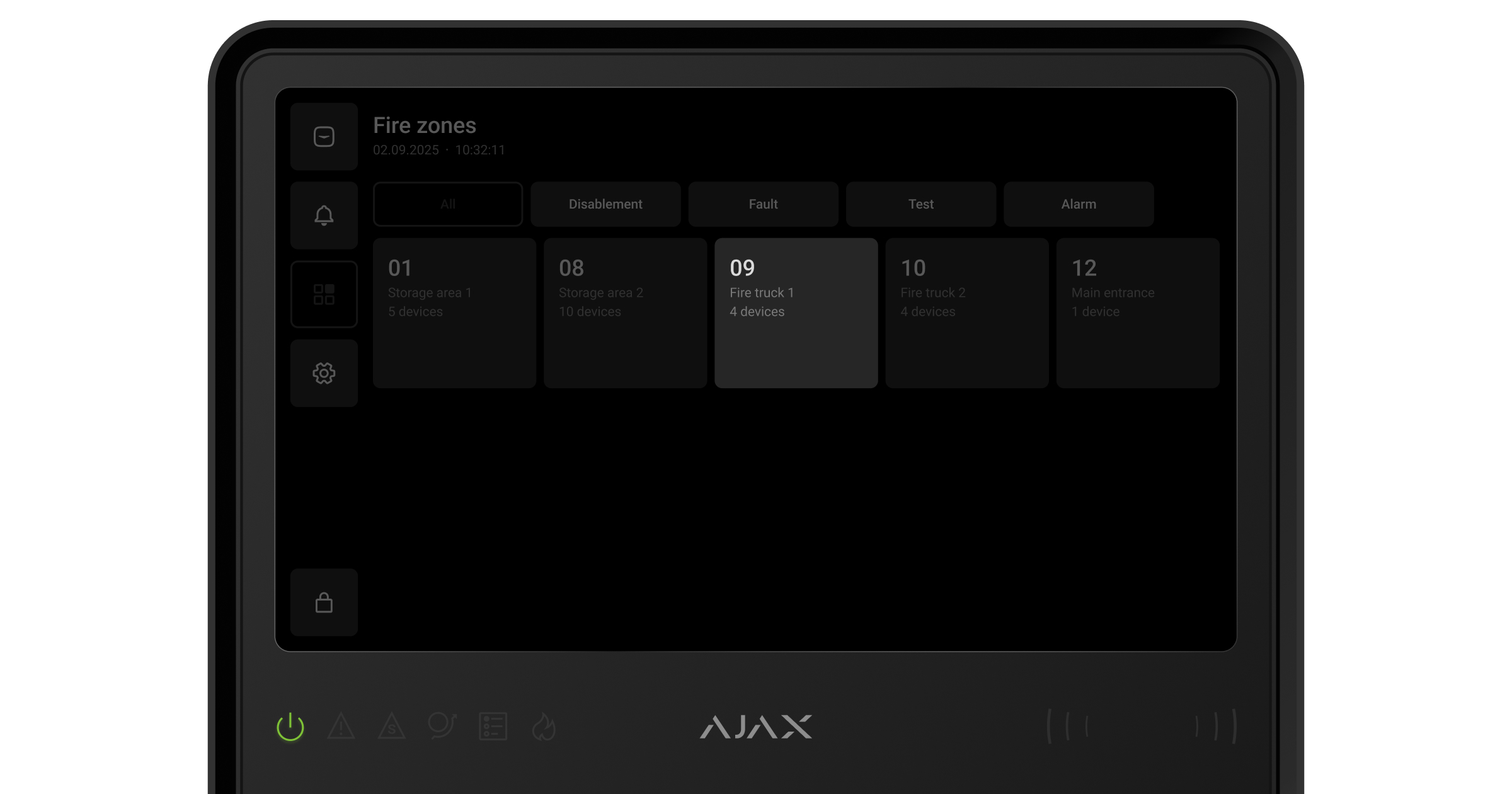
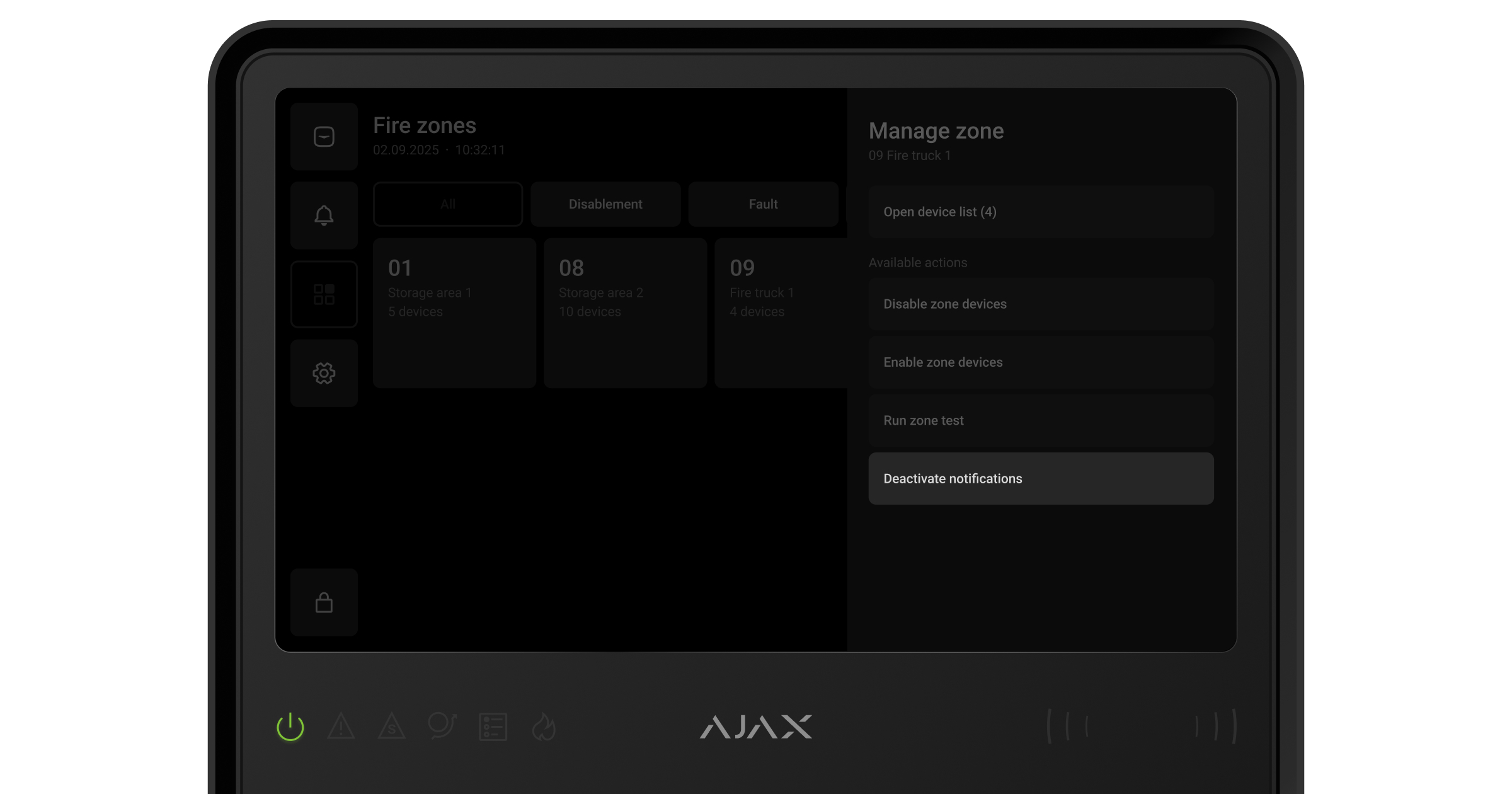
- Select the required zone.
- Go to the Deactivate notifications menu.
- Disable the Device offline notifications.
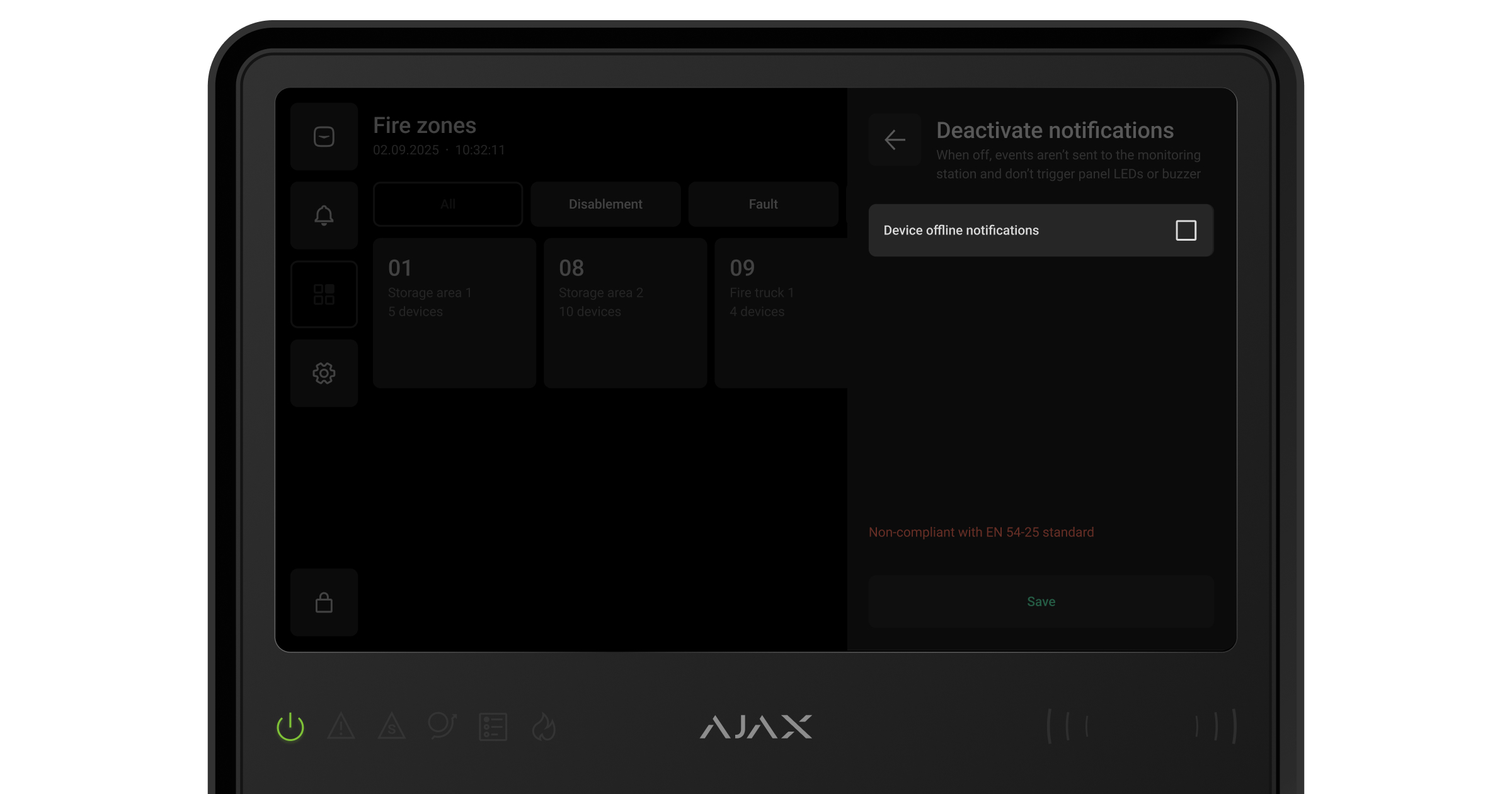

If some devices are offline, the new settings will be applied when the devices come back online.
- Tap Save.
To disable the notifications for the required device:
- Go to the Fire zones tab on the CIE touch screen.
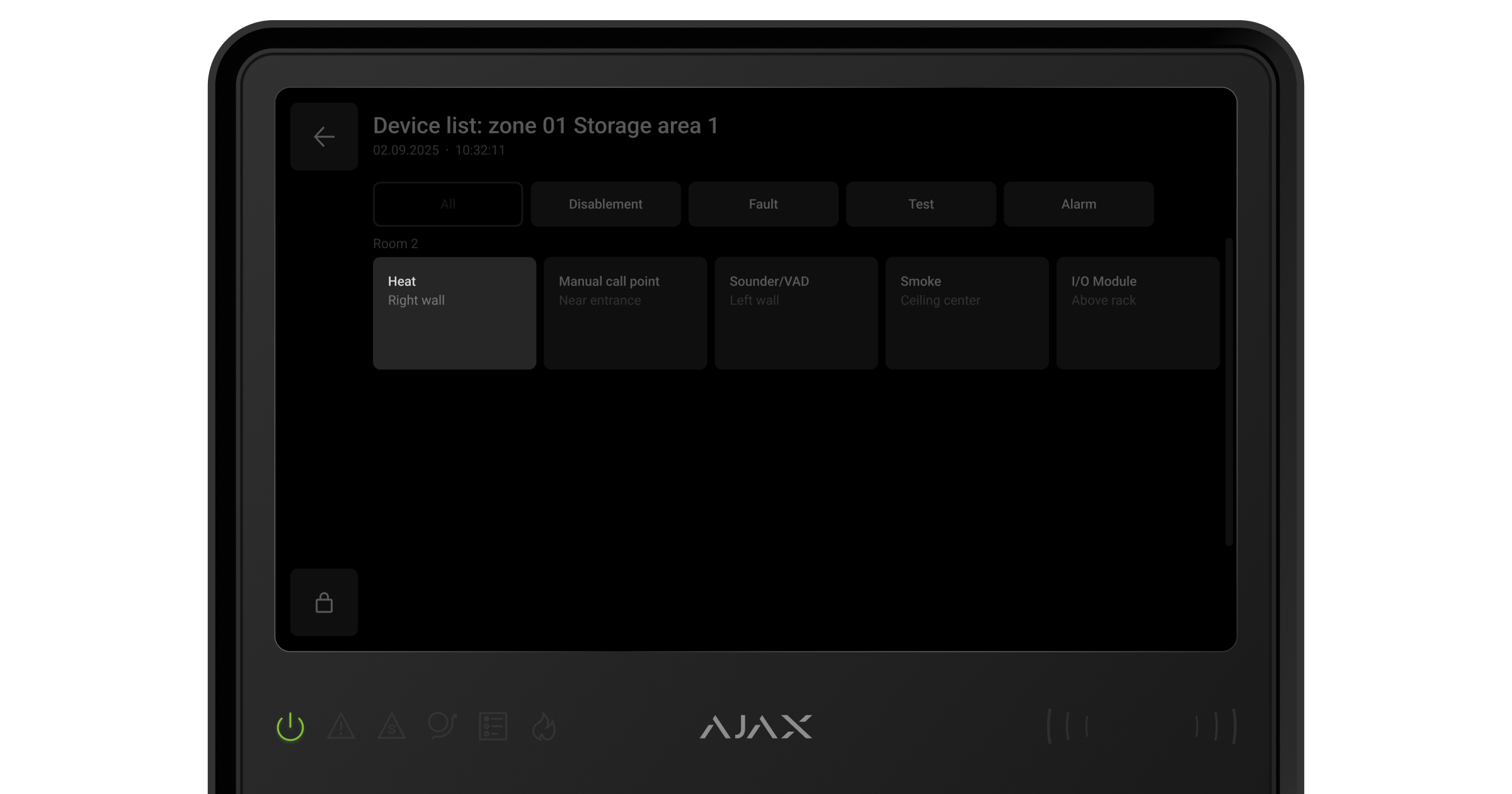
- Select the required zone.
- Tap Open device list.
- Select the required device.
- Go to the Deactivate notifications menu.
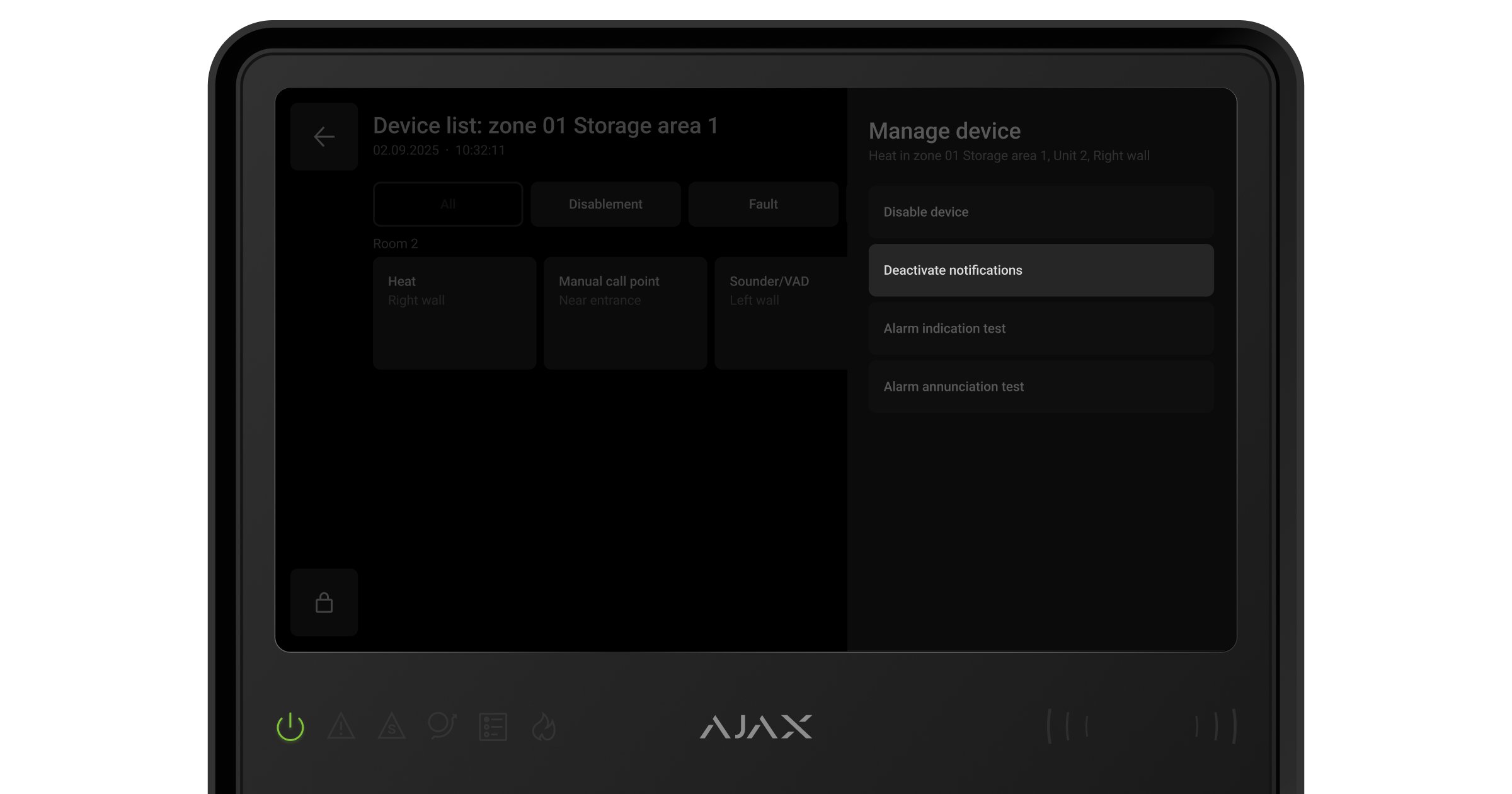
- Disable the Device offline notifications.
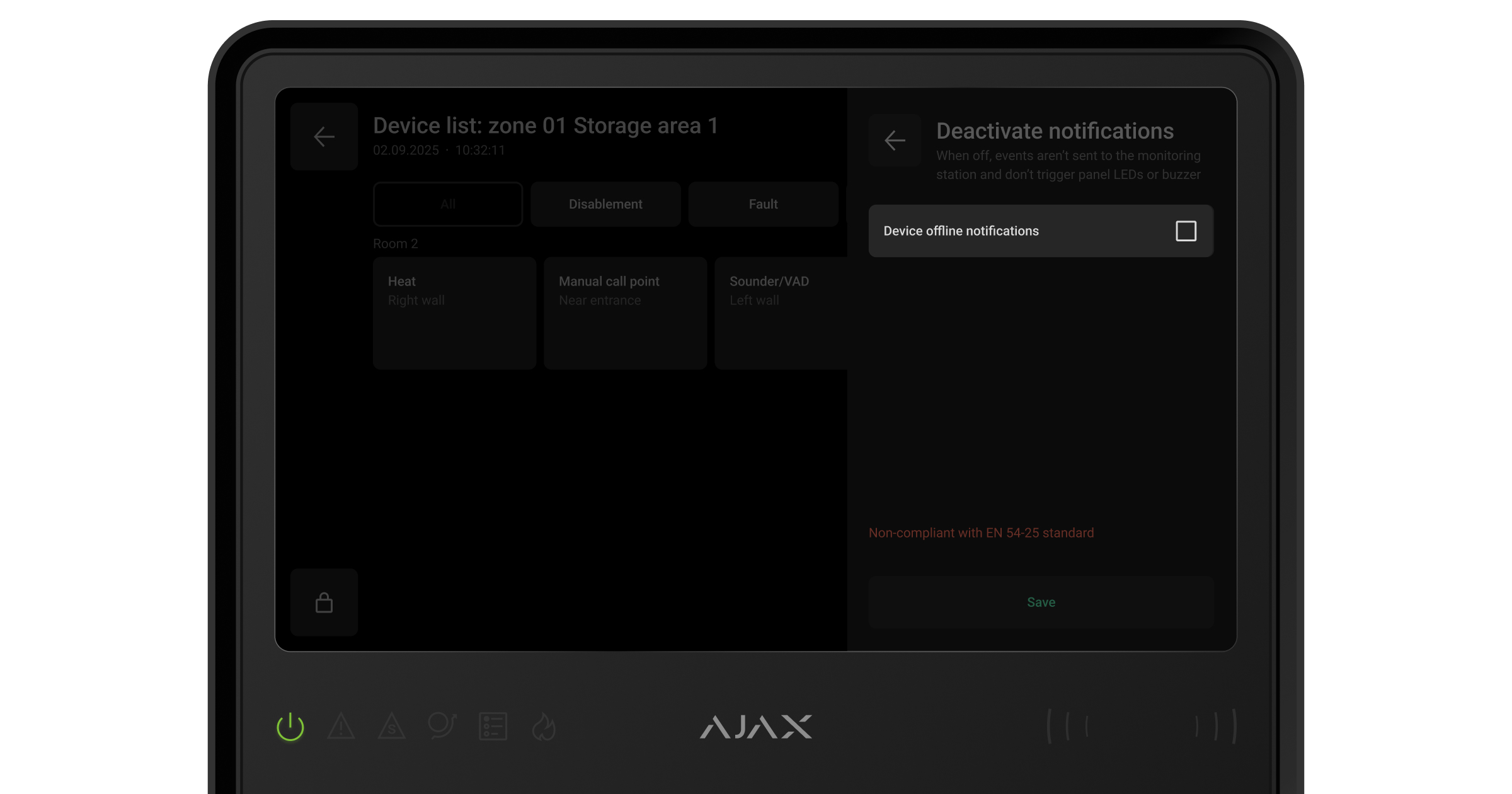
If some devices are offline, the new settings will be applied when the devices come back online.
- Tap Save.