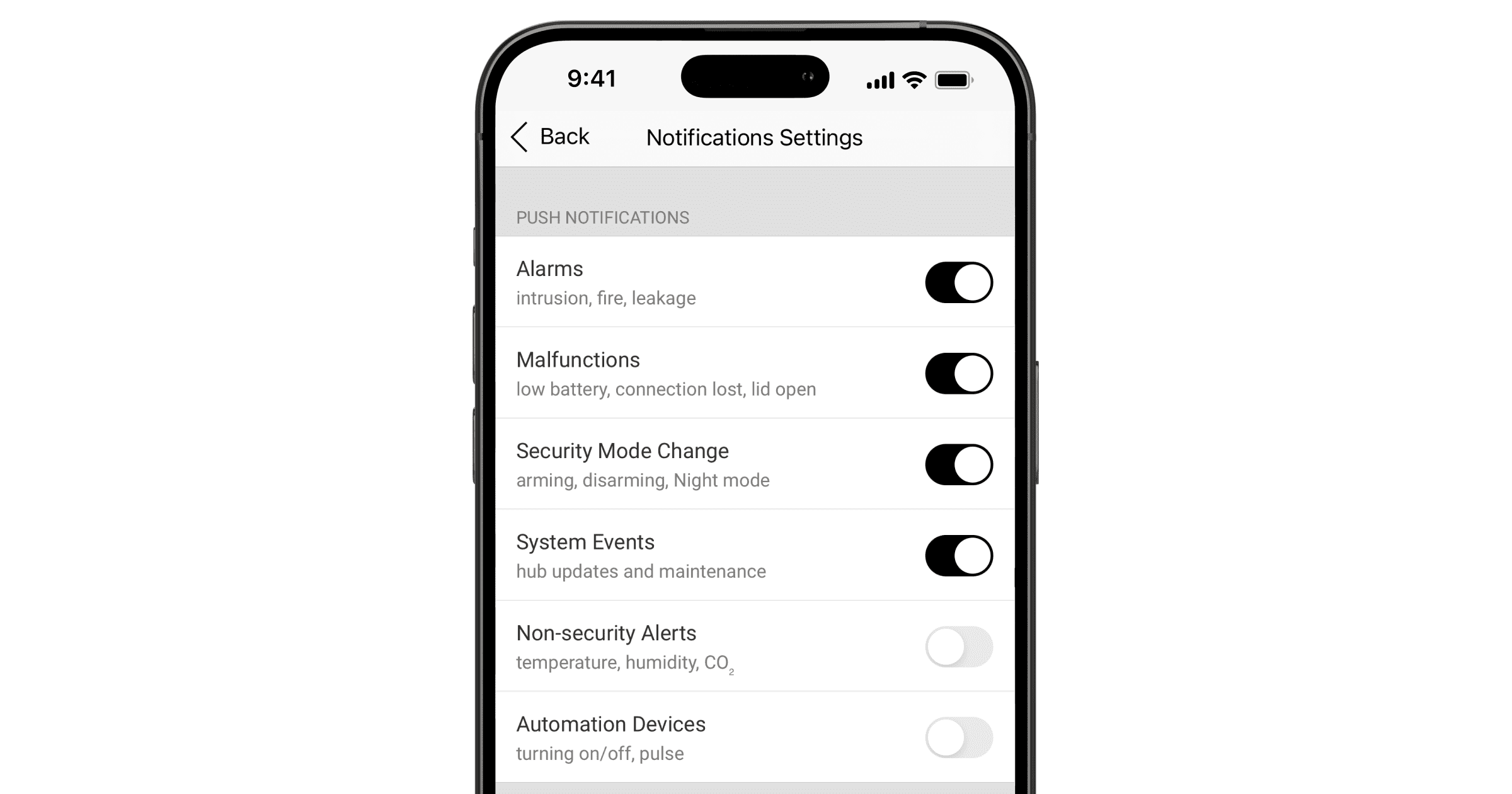
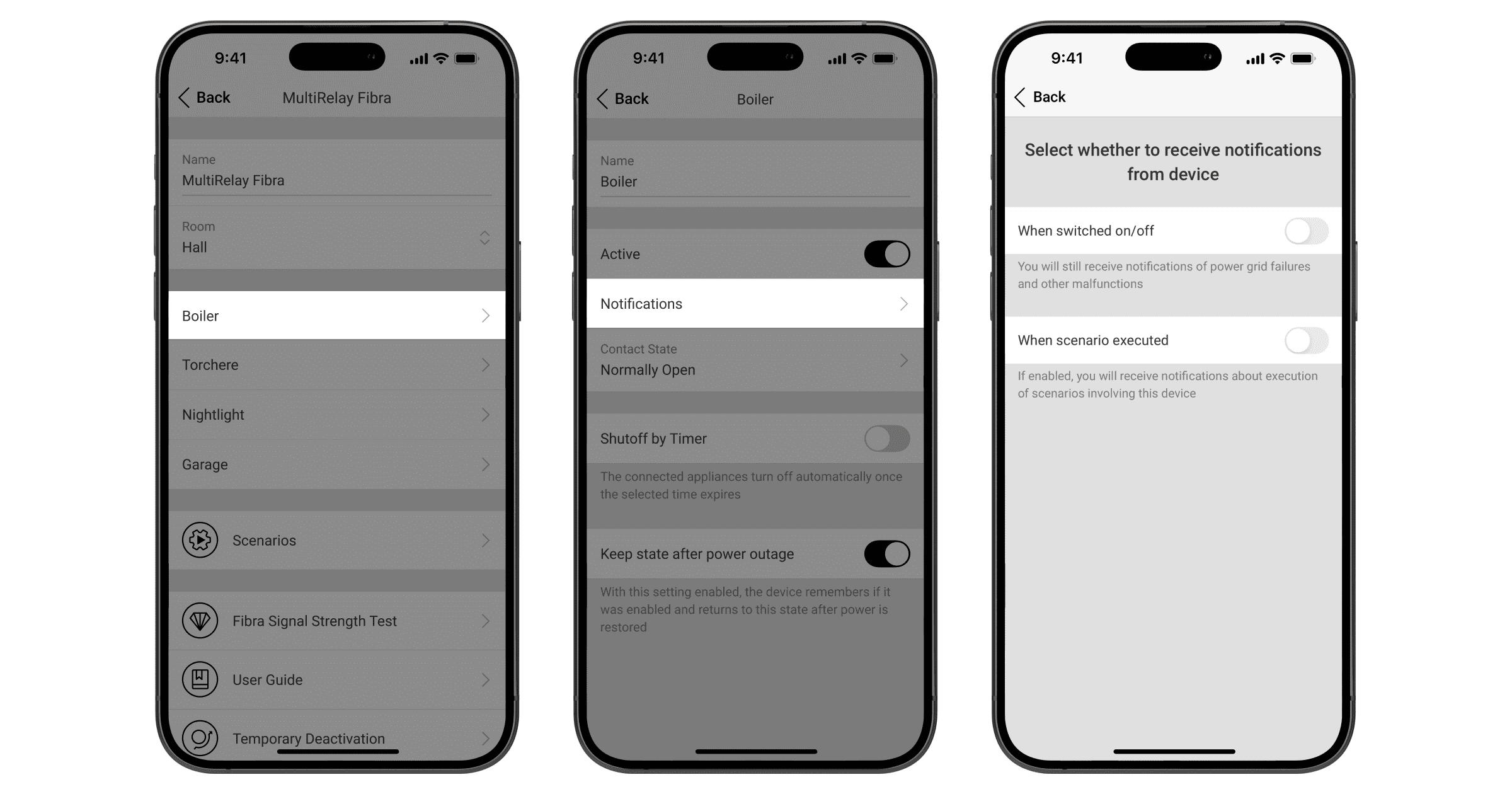
To configure switching notifications for each Superior MultiRelay Fibra relay, in the Ajax app:
- Go to the Devices
 tab.
tab. - Select MultiRelay from the list.
- Go to Settings by clicking on the gear icon
 .
. - Select the relay.
- Click Notifications.
- Disable the When switched on/off and When scenario executed toggles.
- Click Back to save the new settings.
To configure notifications for all automation devices:
- Select a hub in the Ajax app.
- Go to the hub Settings by clicking on the gear icon .
- Select the Users category.
- Select a user.
- Go to the user’s Notifications Settings and make changes. If you do not want to receive notifications about relay switching, disable the Automation Devices toggle.
- After making changes, click Back to save the new settings.